
All the features you need to collaborate online
What is a Virtual Classroom?
A virtual classroom is a digital replica of a traditional classroom or training room. The instructors teach, and the participants learn in real-time, face-to-face but via internet-enabled technology devices. The classroom or the meeting room staple – whiteboard – remains intact. Brainstorming, ideation, and discussions happen in real-time. Tests are given and taken pre and post the session. The reports are ready right after the session is over.
Everything remains the way it is. The only difference is: an online classroom uses technology to support instruction and learning. What are the advantages of virtual classroom? It offers more flexibility over a traditional classroom. You can deliver the instruction to a geographically dispersed audience at one time. Both the instructors and learners have rich experience of collaborating with other learners and instructors from around the world. The attendance is automatically tracked. Moreover, online colloboration typically incorporates more communication tools, such as chat, open discussion boards, polls, multimedia content and social media.
The online class software works in a similar fashion for businesses. You can train employees, vendors, partners, and customers face-to-face in real-time via a standalone app or you can also integrate it with your website, CMS, ERP or LMS. You can conduct the training even when the stakeholders are on the move. They can access the eLearning material and attend the live session from their smartphones, tablets or laptops.
Why choose online classroom software?
WizIQ offers a comprehensive set of features to deliver seamless and synchronous collaborative learning online
- High-definition video conferencing
- Secure live streaming
- Server-side recording
- Advanced interactive whiteboard
- Advanced collaboration and moderation
- Live screen sharing
- Polls and surveys
- Collaborative code editor
- Easy administration
- Insights and analytics
- API and Plugins
High-definition video conferencing
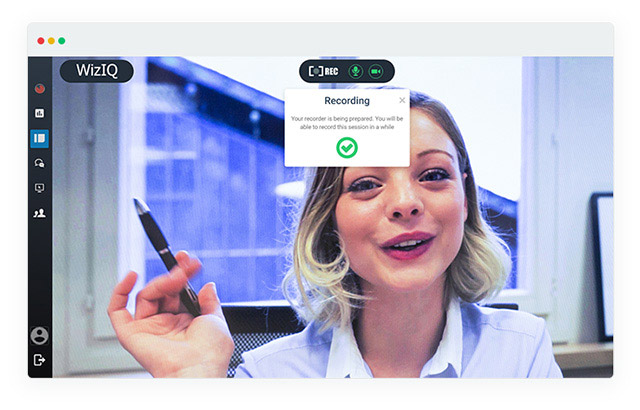
Collaborate face-to-face with enhanced audio-video quality. The full-screen conference mode ensures improved output and the 5-way audio-video layout with instinctive speaker recognition brings alive the real classroom experience. Enjoy unhindered interactive live online classes with low-latency online video streaming and unlimited, echo-free audio output for better results. SD (640p) live video streaming is available by default. HD (720p) live video streaming is available in the Enterprise plans.

Server-side recording
The automated server-side recording (SSR) works in the background when a class is streaming live. The recording is captured directly on our server, which means it doesn’t consume your device computing resources. As no upload happens from your and your attendees’ devices, delivering and attending classes on devices with low-end CPUs is possible. The recording is available in your Library in MP4 format within minutes of the end of your session. Because the live session is captured on our servers, internet speed of attendees does not impact the recording quality. Multi-bitrate (MBR) streaming adapts live streaming to an attendee’s internet bandwidth and CPU capacity – hence very little buffering even on low-end connections. While SD (640p) recording is a default feature, HD (720p) and full-HD (1080p) video recording capabilities are available in the Enterprise plan.
Advanced interactive whiteboard
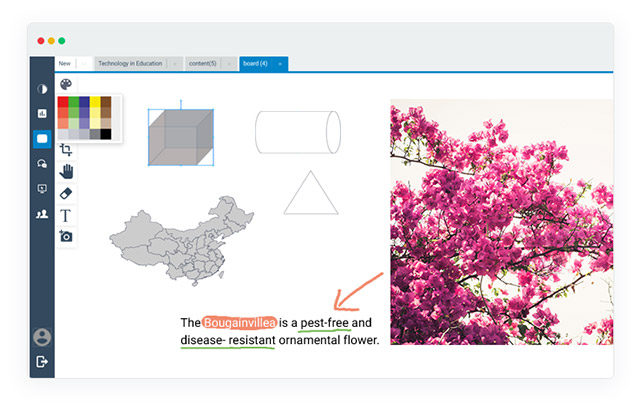
The interactive online whiteboard comes with a full-screen mode, creating a bigger workspace. You can open multiple whiteboards to draw, illustrate, show diagrams, upload presentations, images or even play videos from your library without any hassles. The out-of-the-box advanced geometric shapes and graphs make it easy to teach math and statistics. Circuit diagrams, line diagrams, and apparatus shapes have been included for teaching physics, electrical sciences, and chemistry in a hassle-free manner in an online classroom. The inclusion of maps helps a great deal when teaching geography. You can annotate to explain, illustrate and comment on an existing file or image. You also get the option to choose different colors from the color palette.
Real-time online collaboration
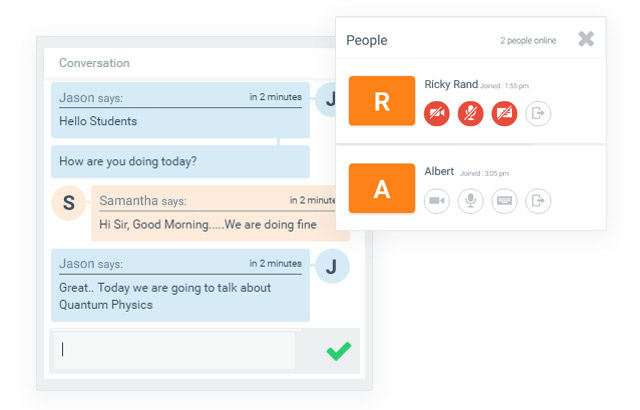
Drive real-time interactions with your learners during the live class. You can transfer the audio or video control to the attendees of your live session. With the live poll option, you can create a poll to pose questions or garner feedback. Learners can use the live chat feature and Raise Hand feature to ask questions. With the option of live screen and application sharing, instructors can share their screen in real-time and provide remote assistance. WizIQ live online class comes with a built-in code editor. Its shared integrated development environment (IDE) makes it possible for remotely-located students to code in real-time online.
Integrated library
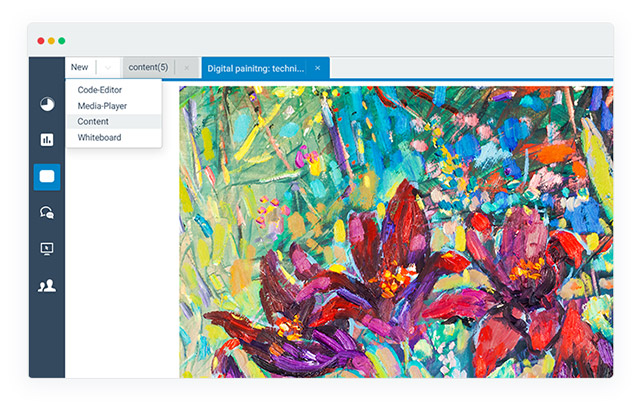
Upload, organize and store your content in the cloud and access it from anywhere at anytime. The integrated library supports all types of files, saving the hassle of transferring and carrying data. Upload text, audio, video, PPT, and HTML files in different formats (PDF, DOC, DOCX, XLS, XLSX, PPT, PPTX, WAV, WMA, MP3, MOV, AVG, MPEG, WMV, MP4, JPEG, GIF, PNG). The cloud storage saves the hassle of transferring and carrying data. It’s easy to search for content and share it with your audience. Also, once a content resource is uploaded to the library, you can reuse it for different classes.
Easy administration
Access the WizIQ virtual training software from any browser and set it up within minutes. WizIQ makes it easy and seamless to carry out administrative activities for your live sessions. You can define roles and permissions for individual attendees and manage your ongoing sessions with a host of in-class features. The access to automated class-related reports post the session lets you measure the progress of your learners and make data-driven decisions.

API and Plugins
Use WizIQ API and Plugins to integrate live class functionality to your website. This enables you to start delivering live classes from your LMS/CMS, such as Moodle, eFront, Joomla, Wordpress and Drupal. Allow your users to log in with a single ID and password to access your system as well as attend live sessions from the integrated class software. The single sign-on (SSO)facility allows users to access the connected applications without separate registrations. Benefit? No confusion and reduced password fatigue.
Frequently Asked Questions
What is the history of virtual learning?
The history of virtual learning environment goes back to as early as the 1700s when lessons were sent weekly to the interested audiences by mail in the US. The correspondence used to be in writing. It was the University of Wisconsin – Madison that first used the term “distance education” in 1892. Later, the University of Houston offered its first college course in 1953 on public television in the United States. The live telecasts aired for 13-15 hours each week at night so that working students could watch the classes.
In 1969, the US Department of Defense commissioned ARPANET – a packet switching network to implement TCP/IP (the foundation technologies of the internet). In 1970, the Havering Computer Managed Learning System was developed in London, and over 100 teachers and 10,000 students were using it by 1980. In 1984, the faculty and students at the University of Waterloo developed applications together by using networked IBM PCs. A year later in 1985, Nova Southern University’s Graduate School of Computer and Information Sciences awarded accredited graduate degrees through online courses. In the mid-nineties, when the idea of personal computers was still in infancy, distance learning seemed to cross the boundaries of traditional education. Students relied on discussion boards, chats, and digital documents for learning.
It was only when the University of Phoenix and Kaplan University offered two-year accelerated bachelor degree programs, the US-based institutes saw a huge influx of international students in their virtual courses. And it was in the 2000s when online education industry started growing leaps and bounds with the advent of personal electronic devices. The industry saw an unprecedented growth in the increased use of smart mobile devices. It was projected to have hit $107 billion in 2015.
How to deploy virtual classroom software?
There are two options available:
- On-premise: On-premise virtual classroom software is the one installed and running on the premises of the organization using it. This may or may not be licensed software but is considered more secure than those which are publicly hosted. You have the flexibility to create your functionality and customize the platform according to your need. However, you trade ease-of-use for customizability. Also, it calls for a massive investment of resources and time. You’ll also need a full-fledged IT infrastructure and support to make this arrangement work.
- Cloud-based: This is an off-premise option, known as SaaS – Software as a Service. It is hosted in the cloud, and you practically don’t need anything on-site other than a basic computing device and an internet connection. The customizations can be done only by your service provider. With the cloud-based option, you can go live within minutes after you purchase your subscription. It works like any rented service and can be started, stopped and scaled at any time. That’s how WizIQ works.
- Open-source SaaS platform: If you choose to go with SaaS online classroom software, you’ll have to choose between the open-source and subscription-based software. You can download and install open-source software for free. However, you might need to struggle with customizations and deployment. You’ll either have to rely on the community of developers or hire an IT expert for support.
- Paid SaaS platform: As the name itself suggests, it’s a paid service. The plus side is everything right from the product to customization, maintenance and support are made available to you. You get the time and resources to focus on your core business function; your service provider takes care of the rest. The support is typically available 24/7. WizIQ virtual class software works on this model.
What are the difference between traditional and virtual classroom?
Here are the differences:
| Traditional Classroom | Online Classroom |
| Teaching limited to and within the classroom. | Teaching from anywhere is possible. |
| Teachers have to follow the same process for every student batch. More work hours are spent on repetitive tasks. | You can automate a major part of the process. Also, the students can go over the class recordings to reinforce classroom learnings. |
| The use of learning technologies is limited in the traditional classroom. | There’s no limit on the number of technologies and the way they can be used in an online classroom. |
| The costs incurred on infrastructure, travel and learning material are high. | The costs of infrastructure, travel and learning materials come down to a minimum. |