
Moodle Virtual Classroom Plugin to Deliver Live Classes
Deliver engaging moodle live classes and record them – all within your website using Moodle Virtual Classroom plugin by WizIQ
Schedule a Live Demo
Log-in only once to access Virtual Classroom from your Moodle LMS
Use the 5-way audio-video feature within the Virtual Classroom
Schedule and record live classes immediately after setting up the plugin.
Enjoy Whiteboard tools for best Moodle online classroom experience
Add content, access class attendance and much more
Get round-the-clock support for any queries
What is moodle virtual classroom plugin?
A virtual classroom plugin, also known as a live class plugin, when incorporated into the Moodle platform, enhances Moodle’s functionality. It enables instructors to schedule and deliver live online classes. This web based module is equipped with real-time collaboration tools like – whiteboard, live chat, code editor, poll and more. Instructor can also use it as a webinar plugin to conduct webinars for larger audiences.
How does a live class plugin enhance Moodle’s functionality?
Moodle as a platform does not have an integrated live class functionality which limits interactions between the instructor and learner. With a Moodle live class plugin, the user will have access to video-based communication. The Moodle live class plugin
- Facilitates interaction between instructor and learner
- Enhances learner motivation for completing online courses
- Promotes dialogue among peers
- Mimics real-world learning better than self-paced courses
Benefits of using a Moodle Live Classroom Plugin?
This plugin is also popularly used as a live streaming plugin to broadcast live sessions over the internet from your Moodle LMS –
- Reduces related costs for both instructor and learner
- Increases flexibility to connect any time, from any where
- Reduces course drop-out rates by enabling live interaction
- Motivates learner and makes the class interactive and impactful
Who can benefit from the WizIQ Moodle Virtual Classroom Plugin?
Our clients are corporate houses, higher education institutes, test prep and tutoring academies, and vocational training institutions. Corporates use the WizIQ Moodle live class plugin for conducting training sessions, conferences, online face-to-face interactions with remotely located employees. Educators have been using this module to deliver live classes at lower costs and reach out to a broader learner base.
Why should you select the WizIQ Moodle Live Class Plugin?
The Moodle live streaming plugin integrates the WizIQ Online Classroom to the Moodle platform. All of the WizIQ online classroom features are available to the instructor who uses the plugin on Moodle. Additionally, editing and managing of classes are also possible using this plugin. The Moodle live class plugin can be installed in as less as 15 minutes. The instructor/trainer can launch a live class immediately after the set-up is complete.
- 5-way audio-video layout with HD feed
- Advanced interactive Whiteboard
- Single sign-on
- 24×7 customer care
- Screen sharing and live-chat feature
- Secure live streaming
- Server-side recording
- Easy administration
- Polls and surveys
- Class reports
- Participation of up to 300 attendees per session
- Support for all Moodle versions
What do you get with WizIQ Moodle virtual classroom plugin?
Employ Virtual Classroom features within Moodle
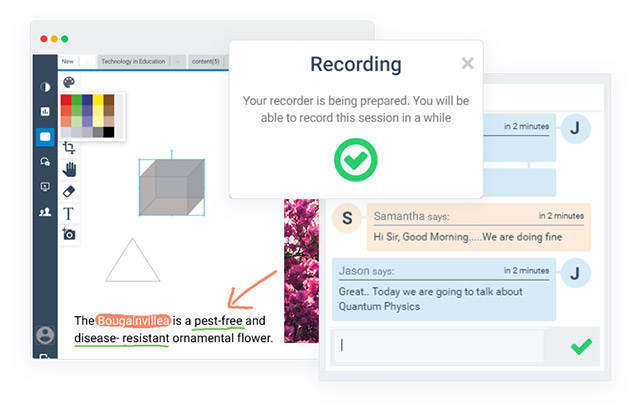
Get all the features of WizIQ Virtual Classroom within your Moodle LMS.
- Enjoy high definition (HD) audio-video sessions
- Annotate, illustrate, and draw for an engaging lesson on the Online Whiteboard
- Enable chat for lively interaction with students during class
- Use Screen sharing and class recordings features
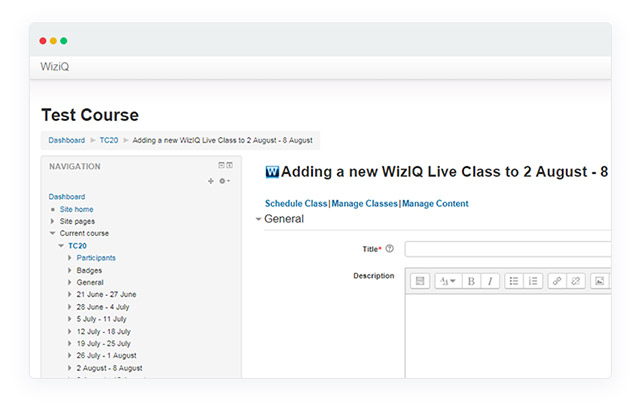
Manage and track your live sessions from your Moodle LMS
Schedule and manage classes, upload content, and view recordings from within the Moodle LMS.
- Directly edit WizIQ classes and content from within Moodle LMS
- Use the content library to upload your content while teaching
- Track class attendance and monitor students log in and log out
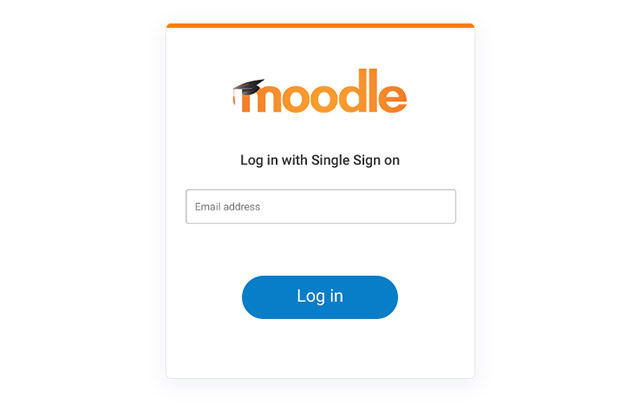
Operate from your Moodle LMS with single sign-on
Use the single sign-on feature which gives users direct access to the Virtual Classroom on Moodle. This feature helps
- Save effort and time as no separate accounts are required to use the Virtual Classroom plugin
- Access Virtual Classroom without any additional authentication
- Operate the Virtual Classroom without special training
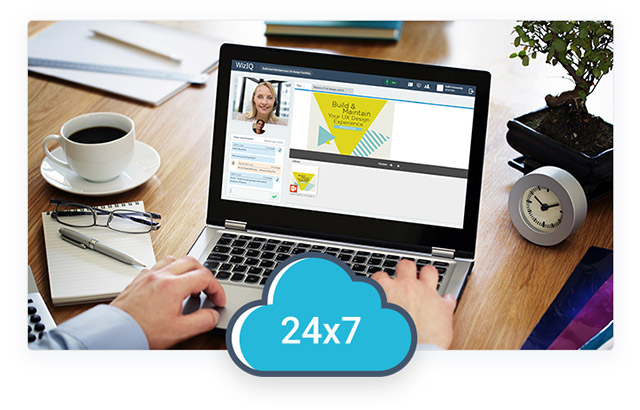
Conduct uninterrupted live sessions
Install the WizIQ Moodle Virtual Classroom plugin to carry out uninterrupted live classes online. This technology
- Ensures 24×7 access to the virtual class powered by multiple data centers
- Provides for in-depth 24×7 monitoring
- Runs on one of the most trusted cloud services, used by 90% of Fortune 500 companies – Microsoft Azure
Frequently asked questions
Which Moodle versions are supported?
WizIQ Virtual
Classroom plugin is available for Moodle 3.3, Moodle 3.2, Moodle 3.1, Moodle
3.0, Moodle 2.9, Moodle 2.8, Moodle 2.7, Moodle 2.6, Moodle 2.5, Moodle 2.4,
Moodle 2.3, Moodle 2.2, Moodle 2.1, Moodle 2.0 and Moodle 1.9.
Can I use WizIQ Virtual Classroom with my Moodle
website?
Yes, the WizIQ Virtual Classroom is an online teaching
tool you can integrate with your Moodle website and offer real-time
collaboration and two-way communication, creating new capabilities for
synchronous learning – all from within your Moodle online classroom.
If I purchase a plan of 5 teacher accounts with up to 10 attendee
limit, does this mean I can run 5 classes with 10 attendees in each class and
any number of times?
Yes, this plans means that you can conduct
5 simultaneous classes with 5 teachers and 10 attendees in each class. You can
take an unlimited number of classes; however, only 5 classes can be conducted at
one given time, writing their guest name! Your students will not pay any fees to
WizIQ.
I have downloaded the WizIQ Virtual Classroom plugin for Moodle 1.9.
Can I also download the plugin for all Moodle 2.x versions? Are there any
extra charges?
No, there are no extra charges for downloading
plugins for various Moodle versions.
If I purchase Moodle package can I still use WizIQ as an alternate
interface?
Yes, you can use WizIQ as an alternate interface at
no extra cost. From within WizIQ, you can:
- Create & deliver live and self-paced courses using the comprehensive teaching system
- Add and manage teacher accounts
- Schedule classes for your teachers
- Allow your teachers to schedule classes on their own
- Conduct classes in the Virtual Classroom
- Get attendance report
- View and download class recordings
- WizIQ has complete solutions to help you establish your teaching website